Making a multi-role scheduling workflow more dependable
Scheduling and approvals
Physician Connection
My role
Product engineering and hardening of an existing platform
Status
Prepared for a controlled beta with real practices.
Product engineering on a platform that books visits between pharmaceutical representatives and medical practices.
The problem. Visits between pharmaceutical representatives and medical practices were arranged by email and informal approvals, and the existing platform’s booking workflow was incomplete.
The work. Working inside the existing product, we rebuilt the request flow, the path from approval to a calendar booking, and the hosting.
The change. Practices receive complete requests, approvals become confirmed bookings, and the platform is prepared for a controlled beta with real practices.
The situation
Physician Connection coordinates visits between pharmaceutical representatives and physician practices. Before it, those visits were arranged through email threads, separate calendars, and informal approvals. Practice staff work in an interrupt-heavy environment, so an unclear request costs them time that belongs to patients. Representatives, meanwhile, had little visibility into whether a request would ever turn into a visit.
I joined an existing product, not a blank page. Most features were present, but several workflows were incomplete and the hosting was fragile. My job was to make the system dependable enough for a controlled beta with real practices.
Four roles, one visit
The same visit looks different depending on who is looking. A representative asks for time. A practice administrator reviews requests and manages the schedule. A physician sees a scoped calendar. A platform administrator handles onboarding, integrations, and errors. Each role should see only what it needs to move the visit forward.
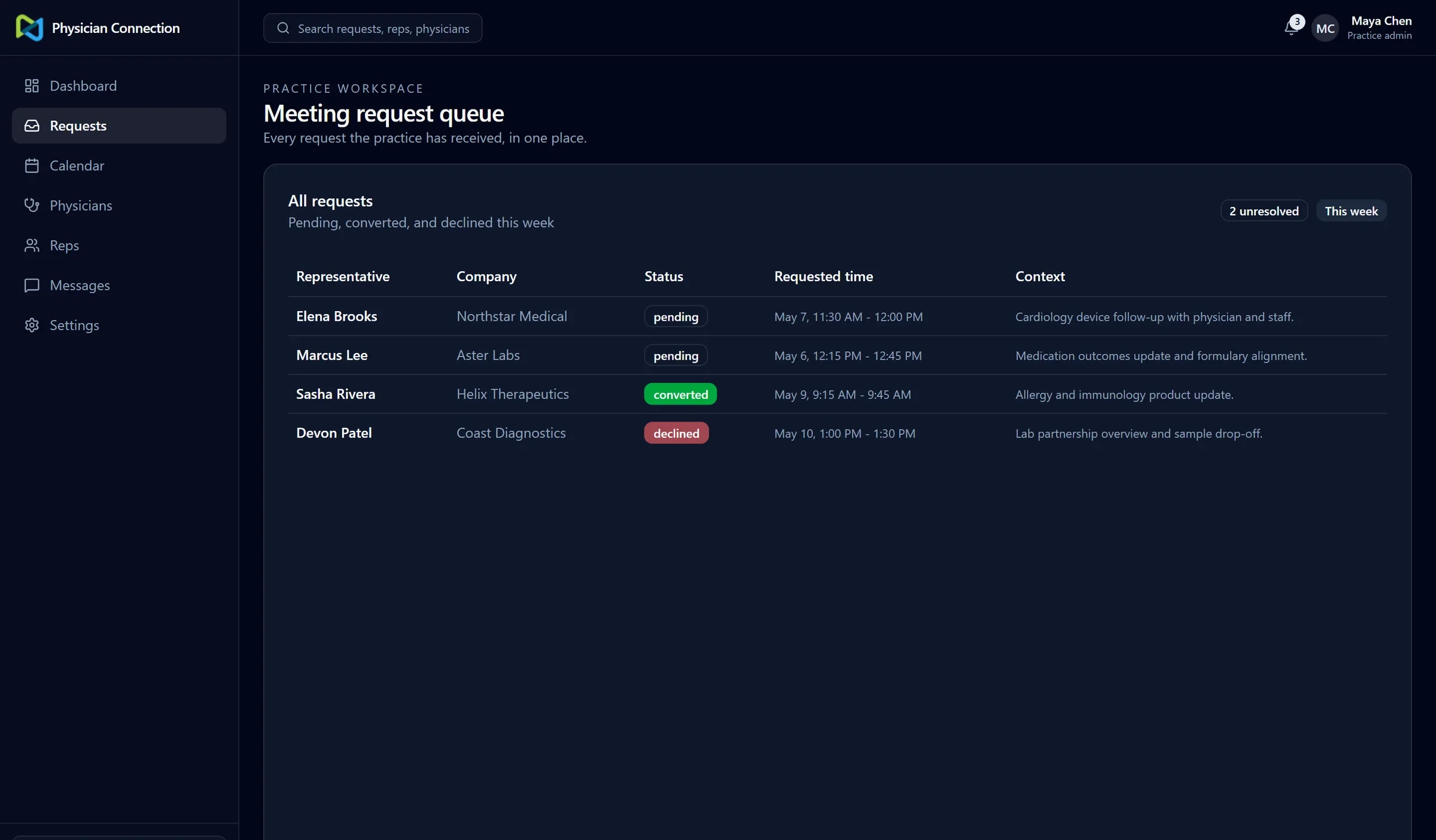
The practice’s request queue: who is asking, from which company, for when, and what state each request is in.
A request that cannot be half-finished
We rebuilt the representative’s request as a guided, step-based flow: choose the practice, choose the visit type, then supply the details the practice needs. Nothing is created until the last step is complete, and only valid targets are offered along the way. That removes a class of partial, ambiguous requests that practices previously had to sort out by hand.
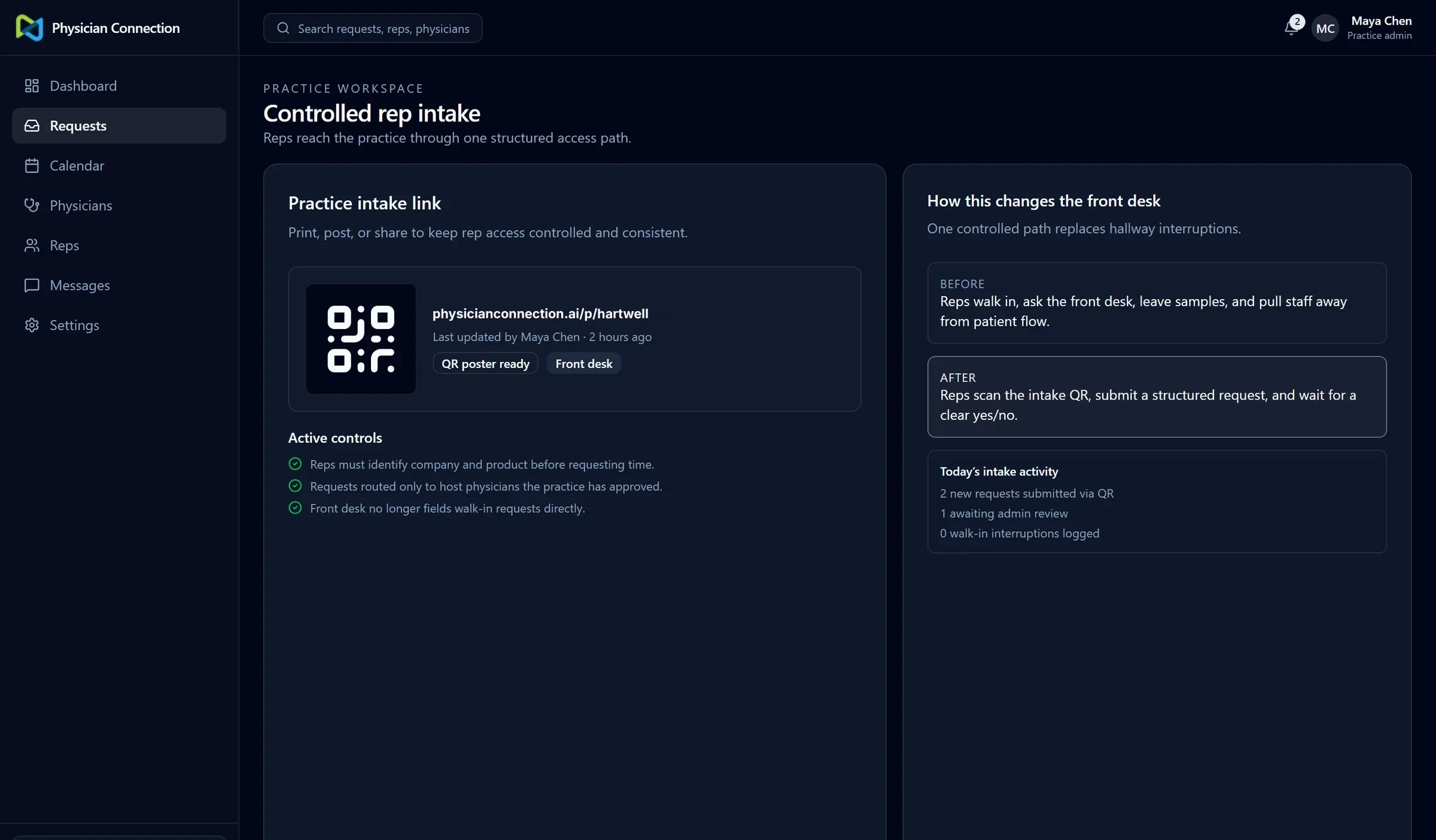
The representative’s request flow collects everything up front, so practices receive complete requests.
From approval to a calendar
When a practice approves a request, it becomes a confirmed booking in the scheduling engine, a self-hosted Cal.com instance. The platform keeps ownership of the visit itself. We worked on the host rules, metadata, and response handling so the booking matches what the practice approved, and on reconciliation tools that can find and repair a mismatch between the two systems.
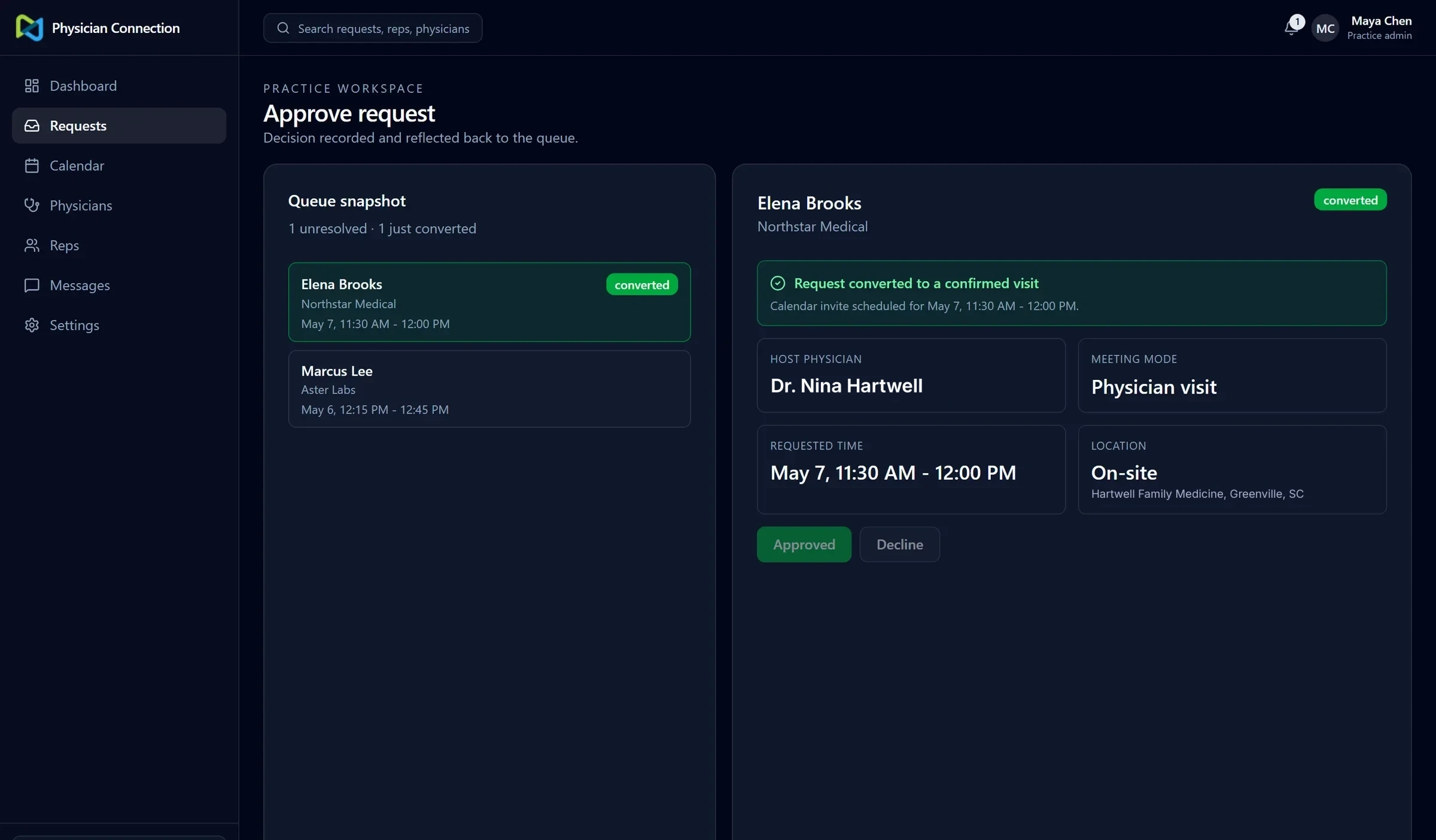
Approving a request turns it into a confirmed visit with the physician, time, and location attached.
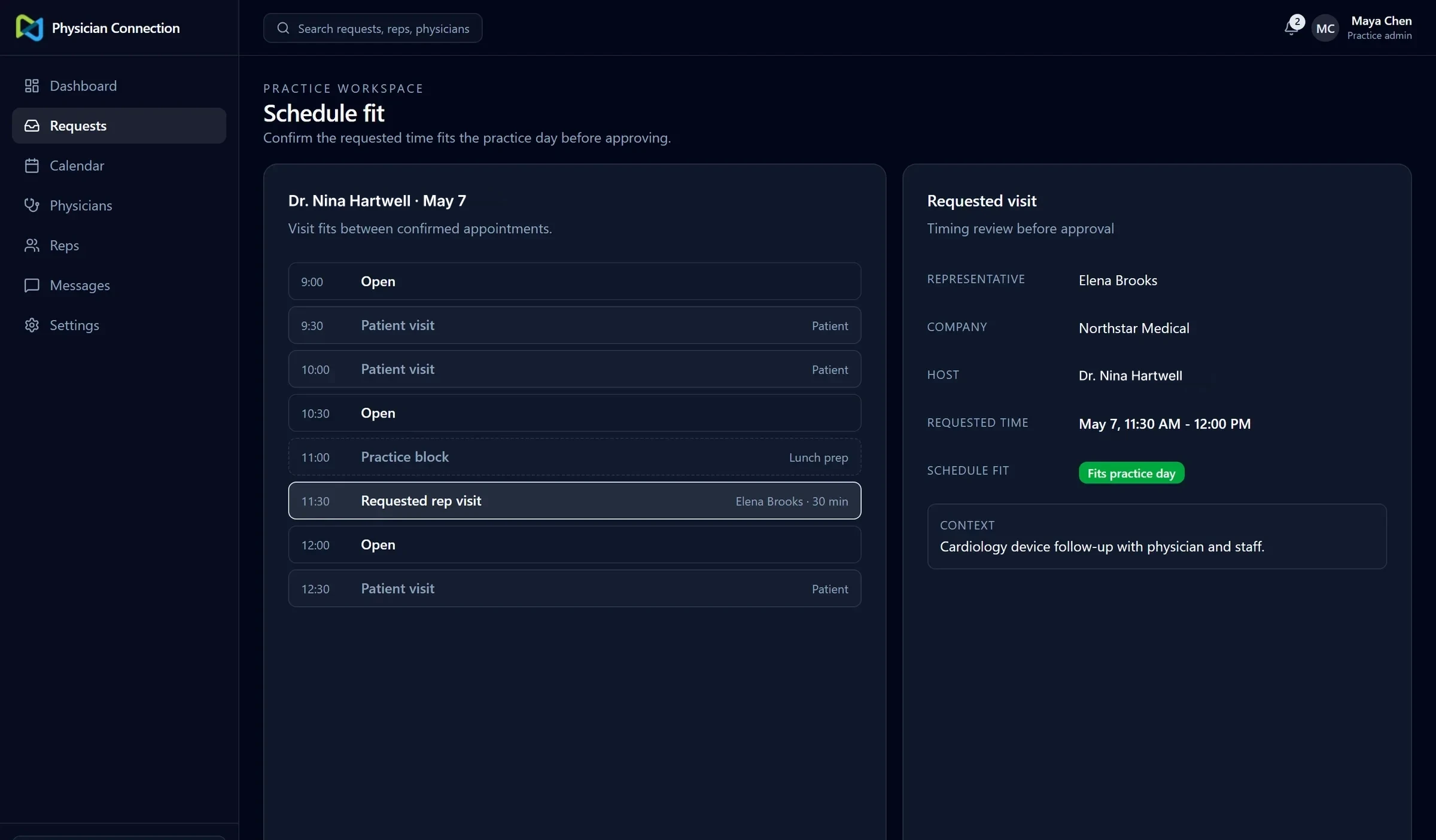
Schedule fit shows where a requested visit lands against the physician’s day before anyone commits.
Making the booking dependable
Most of the reliability work came down to one question: does the calendar always match what the practice approved? A few cases could break that, and each one got specific attention.
Two approvals at the same moment. If two staff members approved the same request at once, the platform could try to book the visit twice. We tested that exact situation against the real setup and confirmed it produces a single booking.
A step that fails halfway. Booking a visit takes several steps. They now run in a fixed order with cleanup if one fails, instead of relying on a database feature the hosting setup didn’t reliably support. That feature had caused failures in production and was removed.
The app and the calendar drifting apart. A reconciliation tool compares the platform’s visits with the scheduling engine and can repair a mismatch. A check over a recent window found no mismatches at the time it ran.
Errors that don’t disappear. Critical steps report failures to monitoring and to an admin error log, so a failed booking shows up as something to fix rather than a blank screen.
Hosting that can be supported. We led the move to Vercel for the application and Railway for the scheduling engine.
Where it stands
The request, approval, and booking loop works on the production setup and is prepared for a controlled beta with real practices. The platform has role-appropriate views, automated tests, and error reporting. I was not the founding engineer: earlier developers built most of the original platform, and my work centered on making its incomplete workflows reliable. That reduces the risk of a mismatch; it doesn’t rule out every future failure.
Built with
Next.js, React, TypeScript, PostgreSQL (Neon), Drizzle ORM, Better Auth, Cal.com (self-hosted on Railway), Vercel.
Read the long-form technical write-up on GitHub →
Interface shown with sample data.
Working through something similar?
Start with what you need.
Ask for a free homepage preview if you need a business website. If it is software, a client portal, or a connection between tools, tell me about the project. Neither request commits you to anything.